The all-in-one extension for NotebookLM (now Gemini Notebook)
Turn NotebookLM into a real
research & study workspace
Export proper citations, send flashcards to Anki with their sources, search across all your notebooks, and bulk-import from YouTube and the web — everything NotebookLM (now Gemini Notebook) is missing, in one extension.
Free plan, no signup · Works with your own Google Drive · Your data stays yours
Watch NotebookBloom in action
A 2-minute tour — citations to Zotero/BibTeX, flashcards to Anki, and search across all your NotebookLM (Gemini Notebook) notebooks.
See it in your notebook
Real screenshots — the NotebookBloom panel sitting right inside NotebookLM (Gemini Notebook).
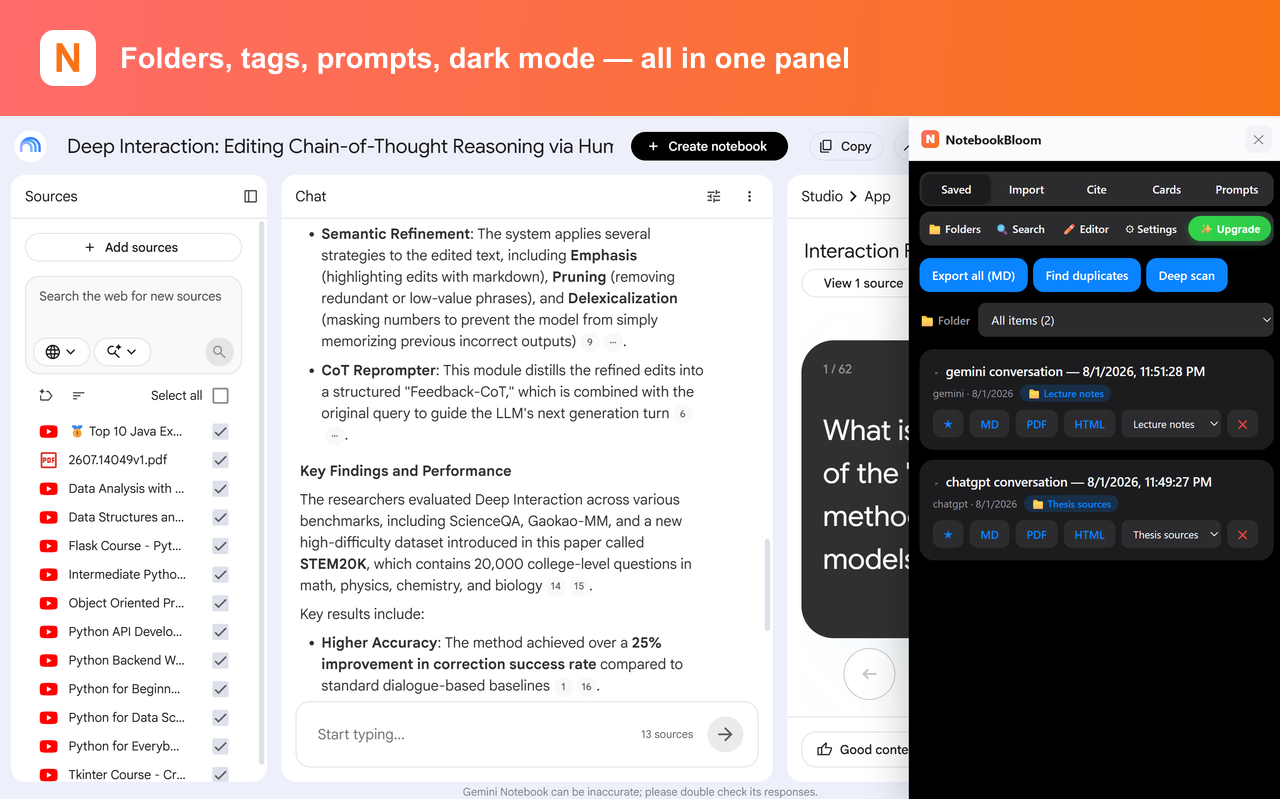
What is NotebookBloom?
NotebookBloom is a free Chrome extension that adds the features Google NotebookLM — recently renamed Gemini Notebook — is missing for serious research and study. It exports proper citations (APA, MLA, Chicago, BibTeX), sends AI-generated flashcards to Anki with their sources attached, lets you search across all your notebooks at once, and bulk-imports sources from YouTube playlists, channels, search results and the web — all in one extension, working entirely in your browser.
NotebookLM (Gemini Notebook) is great — until you actually do research with it
Citations are vague — a highlight in a 40-page PDF, no page number, nothing you can paste into a paper.
Every notebook is an island. Once you have a dozen, there's no way to search across them.
It generates flashcards, but you can't get them into Anki without hours of manual rebuilding.
Adding sources one link at a time is tedious — no bulk import, no whole YouTube playlists or channels.
Everything you need, in one place
Other extensions do one of these. NotebookBloom does all of them — and the academic features no one else has.
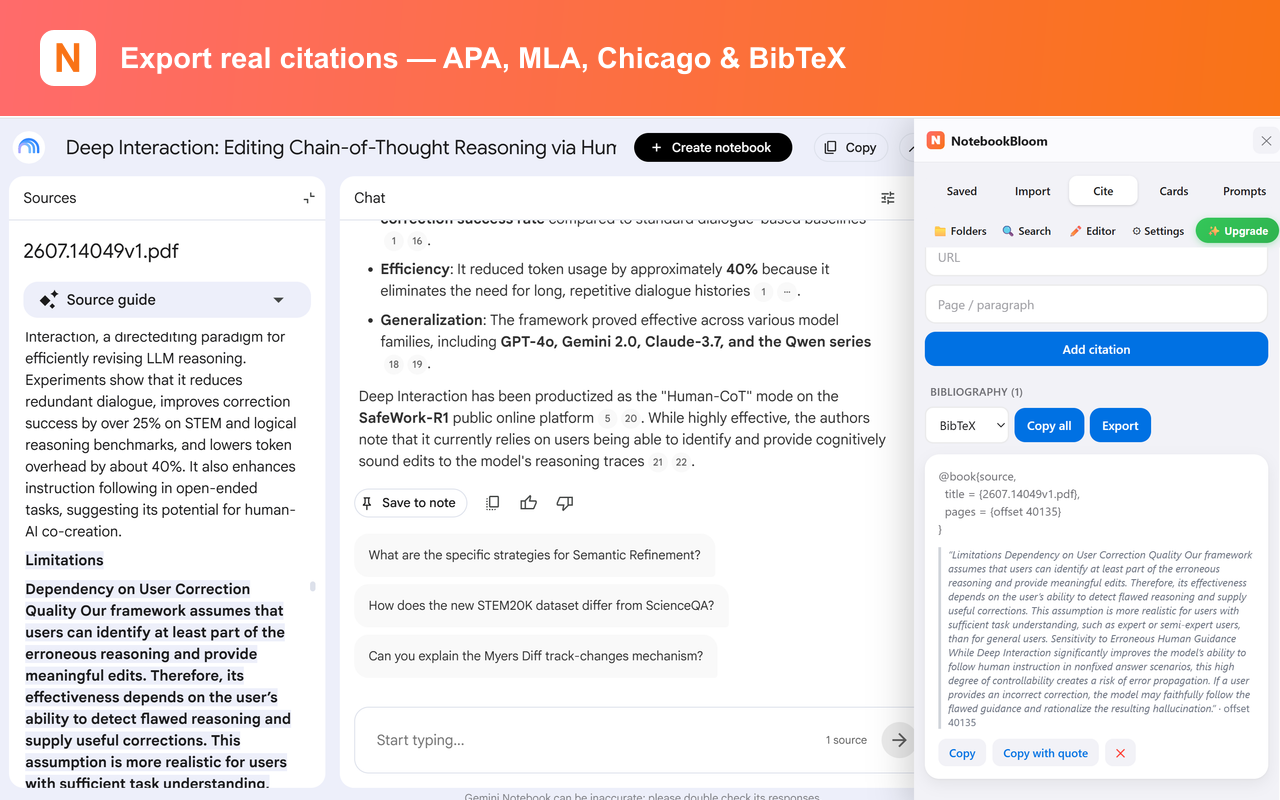
Real citation export
Turn NotebookLM's vague citations into proper APA / MLA / Chicago / BibTeX references you can paste straight into a paper.
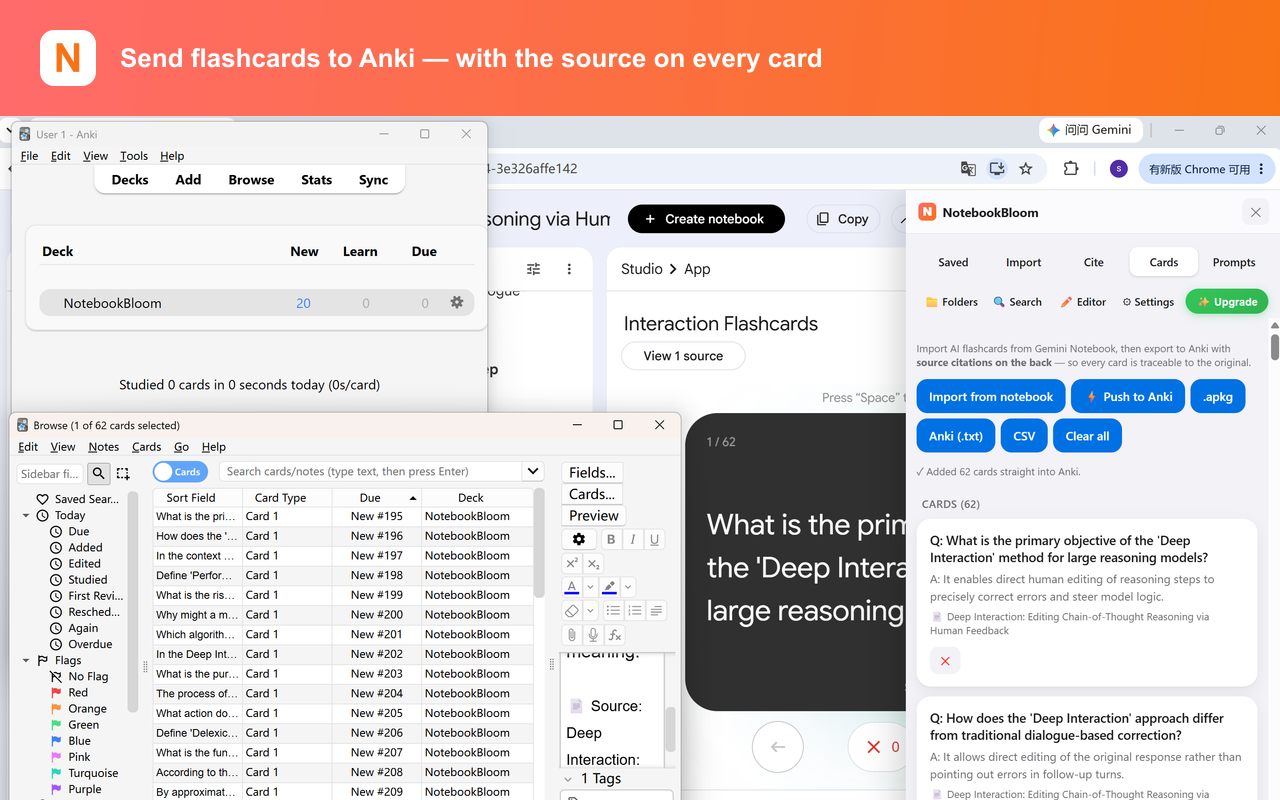
Anki export with sources
Send AI flashcards to Anki — with the source printed on the back of every card, so you can always verify where it came from.
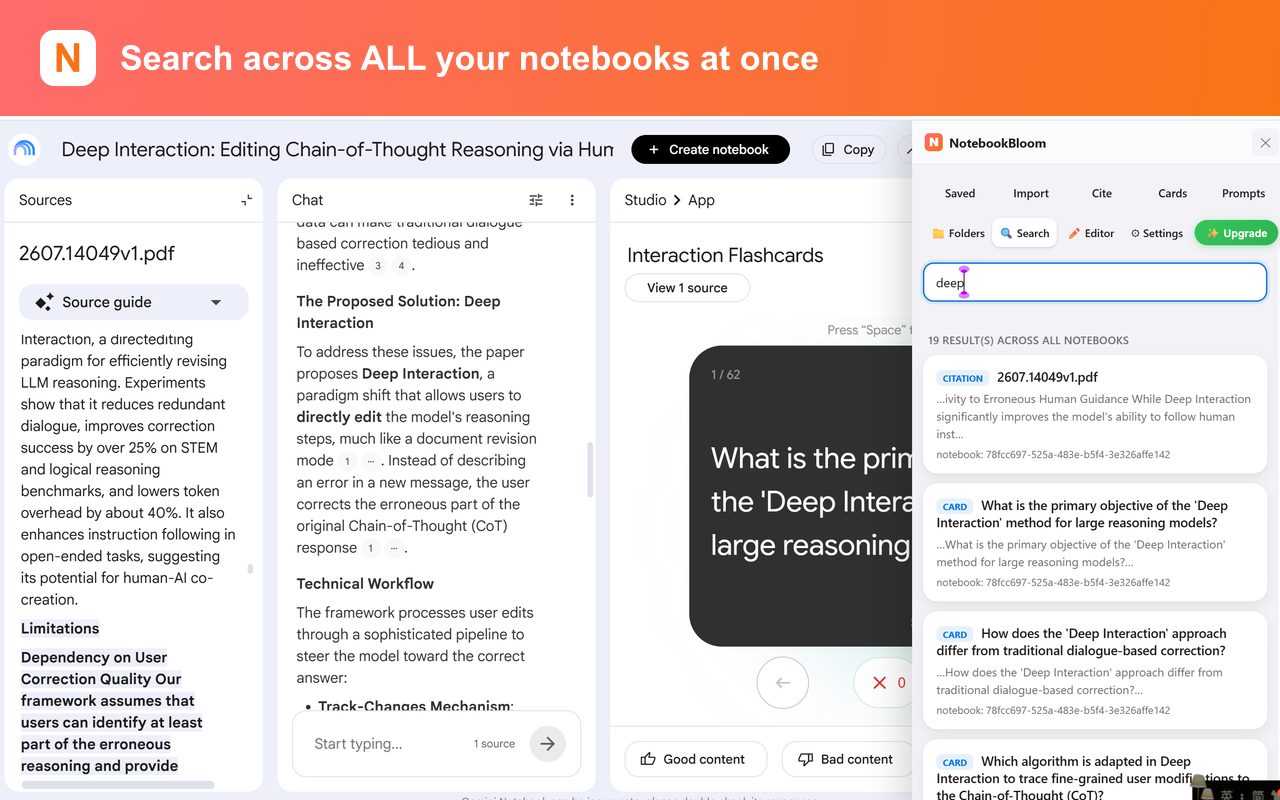
Search across all notebooks
One search across every notebook, source, citation and prompt. No more notebook silos.
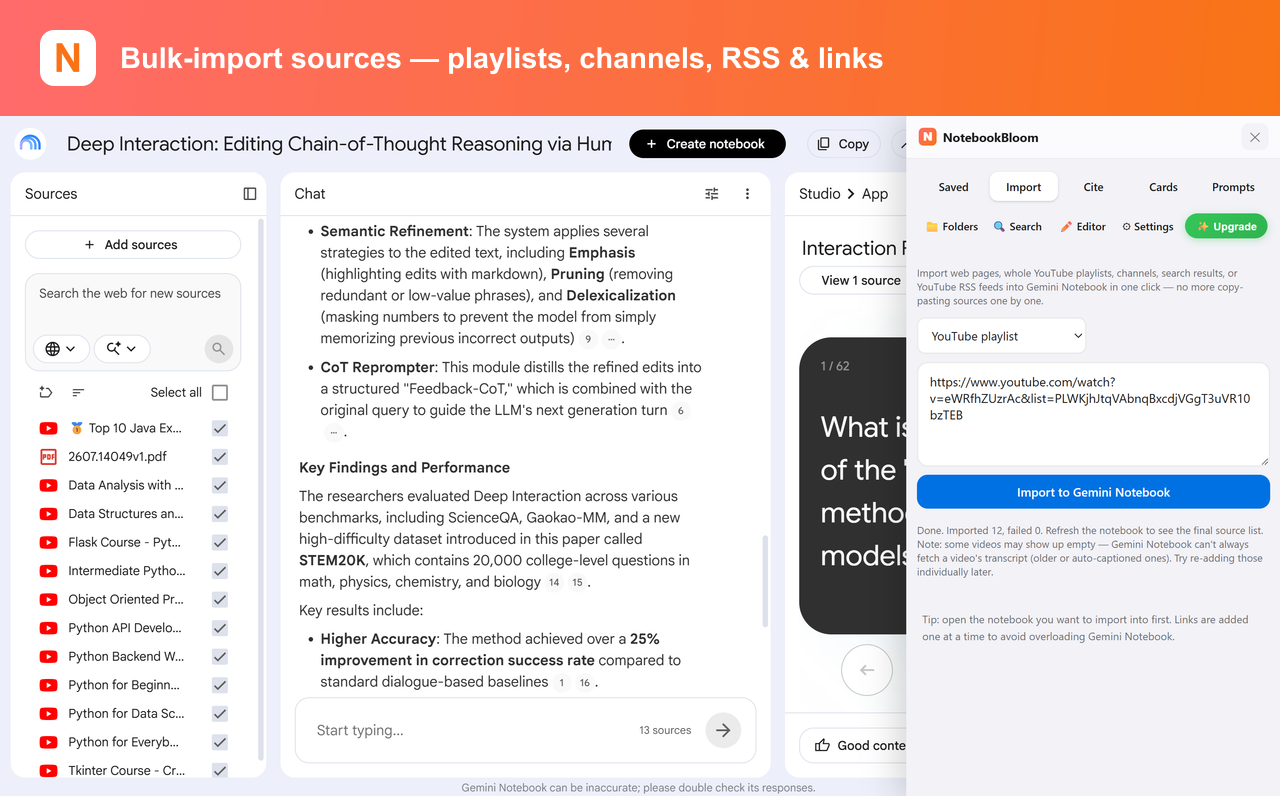
Bulk import
Paste many links, or import a whole YouTube playlist, channel, search results, or YouTube RSS feed — in one click.
Folders, tags & prompts
Organize sources with folders and tags. Save reusable prompts with shortcodes (/summarize) you can trigger in chat.
Editable output
NotebookLM output is read-only. Pull it into NotebookBloom, edit freely, then copy or export it back.
Dedupe & clean
Find and remove duplicate sources by title, URL or content similarity — keep your library tidy.
Cloud sync
Sync across devices via your own Google Drive. We never store your data on our servers.
Dark mode & more
Dark mode, one-click exports (MD/PDF/HTML), podcast RSS feeds, and save conversations from ChatGPT/Claude/Gemini/Perplexity.
One extension instead of three
NotebookBloom bundles what you'd otherwise piece together from separate import tools, note organizers, and citation exporters — at a lower price.
New here? Start with what NotebookLM can & can't export. Or jump to a specific workflow: export citations to BibTeX/APA/MLA, send sources to Zotero, flashcards to Anki with sources, search across all notebooks, or organize notebooks with folders and tags, or compare with Kortex.
Simple pricing
Free
$0
- Organize everything — folders, tags & reusable prompts you fire with /shortcodes
- Save AI chats — capture full conversations from ChatGPT, Claude, Gemini & Perplexity
- Cross-notebook search — find any source, note or citation across every notebook at once
- Flashcard capture — pull NotebookLM flashcards straight into a clean, editable preview
- Citation builder — turn any source into APA/MLA/Chicago/BibTeX, copy one at a time
- Single-item export — download any item as Markdown, PDF or HTML
- Dedupe, clean & dark mode — remove duplicate sources and work day or night
Pro
$29/year
≈ $2.42/mo · billed annually
- Everything in Free, plus the power tools below
- Cloud sync & restore — back up to your own Google Drive, restore on any device
- Anki export with sources — send whole decks to Anki (.apkg/TSV/Push), each card cites its source
- Full bibliography export — export your entire reference list in APA/MLA/Chicago/BibTeX
- Bulk import — add dozens of links, or whole YouTube playlists, channels, search results & feeds in one go
💡 Use your Google account email at checkout. Pro unlocks automatically when you sign in to the extension with that same email — no license key needed.
Cheaper than comparable NotebookLM extensions. Cancel anytime.
FAQ
Is NotebookBloom official / made by Google?
No. NotebookBloom is an independent third-party extension that works with Google NotebookLM (now called Gemini Notebook). It is not affiliated with or endorsed by Google.
Does it work with the new Gemini Notebook?
Yes. Google renamed NotebookLM to Gemini Notebook in July 2026 — NotebookBloom works with both. It's the same product (same site, same notebooks), so whatever Google calls it, the extension keeps working.
What's the difference between Gemini Notebook and Notebooks in Gemini?
They're two different things. Gemini Notebook is the standalone research app formerly called NotebookLM (at notebooklm.google.com) — that's what NotebookBloom enhances. "Notebooks in Gemini" is a section inside the Gemini app for organizing chats and files. The two sync, but NotebookBloom works on the standalone Gemini Notebook / NotebookLM.
Where is my data stored?
Everything runs locally in your browser. Optional cloud sync uses your own Google Drive — we never store your notebooks or sources on our servers.
Do I need a paid plan to use it?
No. The Free plan has real, useful features you can use every day. Pro unlocks the premium features — the in-app plan shows exactly what's included. Cancel anytime.
Will it break when NotebookLM updates?
Because NotebookLM (Gemini Notebook) has no public API, extensions like this read the page directly and occasionally need updates after a redesign. We keep NotebookBloom current.
Who is it for?
Researchers, grad students, and med students who use NotebookLM for serious work — anyone who needs citations, Anki review, and cross-notebook search.
How is NotebookBloom different from other NotebookLM extensions?
Most extensions only do imports or basic organization. NotebookBloom adds the academic features no one else has: real citation export (APA/MLA/BibTeX), Anki flashcard export with sources, and search across all your notebooks — plus all the import and organization tools, for a lower price.
How do I export NotebookLM (Gemini Notebook) citations to BibTeX, APA or MLA?
NotebookLM (now Gemini Notebook) only shows vague inline citations — it can't export a formatted bibliography. NotebookBloom turns those citations into proper APA, MLA, Chicago and BibTeX references you can paste straight into a paper or reference manager. Most other NotebookLM / Gemini Notebook extensions don't generate real citations at all.
How do I connect NotebookLM (Gemini Notebook) to Zotero or Mendeley?
NotebookLM (Gemini Notebook) has no native Zotero or Mendeley integration, so you connect them through BibTeX. NotebookBloom exports your sources as a .bib file that imports cleanly into Zotero, Mendeley and most reference managers (File → Import) — so you don't have to retype references by hand.
How do I send NotebookLM (Gemini Notebook) flashcards to Anki?
NotebookLM (Gemini Notebook) generates flashcards but can't export them to Anki. NotebookBloom sends them to Anki as .apkg, TSV, or directly via AnkiConnect — with the original source printed on the back of every card, so you can always verify where a fact came from.
Can you search across multiple notebooks in NotebookLM (Gemini Notebook)?
Not natively — every NotebookLM (Gemini Notebook) notebook is an island. NotebookBloom adds cross-notebook search: one box searches across every notebook, source, citation and prompt at once.
How do I export NotebookLM (Gemini Notebook) notes to Markdown or PDF?
Google's native export only sends to Google Docs or Sheets. NotebookBloom lets you export notes and AI output to Markdown, PDF and HTML in one click, and pulls read-only NotebookLM (Gemini Notebook) output into an editable view first.
Does NotebookLM (Gemini Notebook) have folders, and how do I bulk-import sources?
NotebookLM (Gemini Notebook) has no folders and makes you add sources one link at a time. NotebookBloom adds folders and tags, and bulk-imports many URLs at once — including whole YouTube playlists, channels, search results and RSS feeds.
Can I duplicate or copy a notebook in NotebookLM (Gemini Notebook)?
No — NotebookLM (Gemini Notebook) has no duplicate or clone-notebook feature, and Google doesn't expose one to extensions, so no add-on can truly clone a notebook. The realistic workaround is to rebuild it: create a fresh notebook and bulk-import the same sources in one pass with NotebookBloom, instead of re-adding them one link at a time.
What's the best free NotebookLM (Gemini Notebook) extension / Kortex alternative for researchers and students?
If you need academic features, NotebookBloom is a strong Kortex / NotebookLM Tools alternative: it's the one extension that does real citation export, Anki export with sources, and cross-notebook search together, on a free plan, using only your own Google Drive (no broad "read all your data" permissions) — built for grad students, med students and researchers.