Search Across NotebookLM Notebooks (One Search Box)
NotebookLM cannot search across multiple notebooks natively. Its search and chat work inside the notebook currently open, so finding an old source means checking notebooks one by one. NotebookBloom adds a browser-local index that searches notebook titles, sources, citations, flashcards and saved prompts from one box.
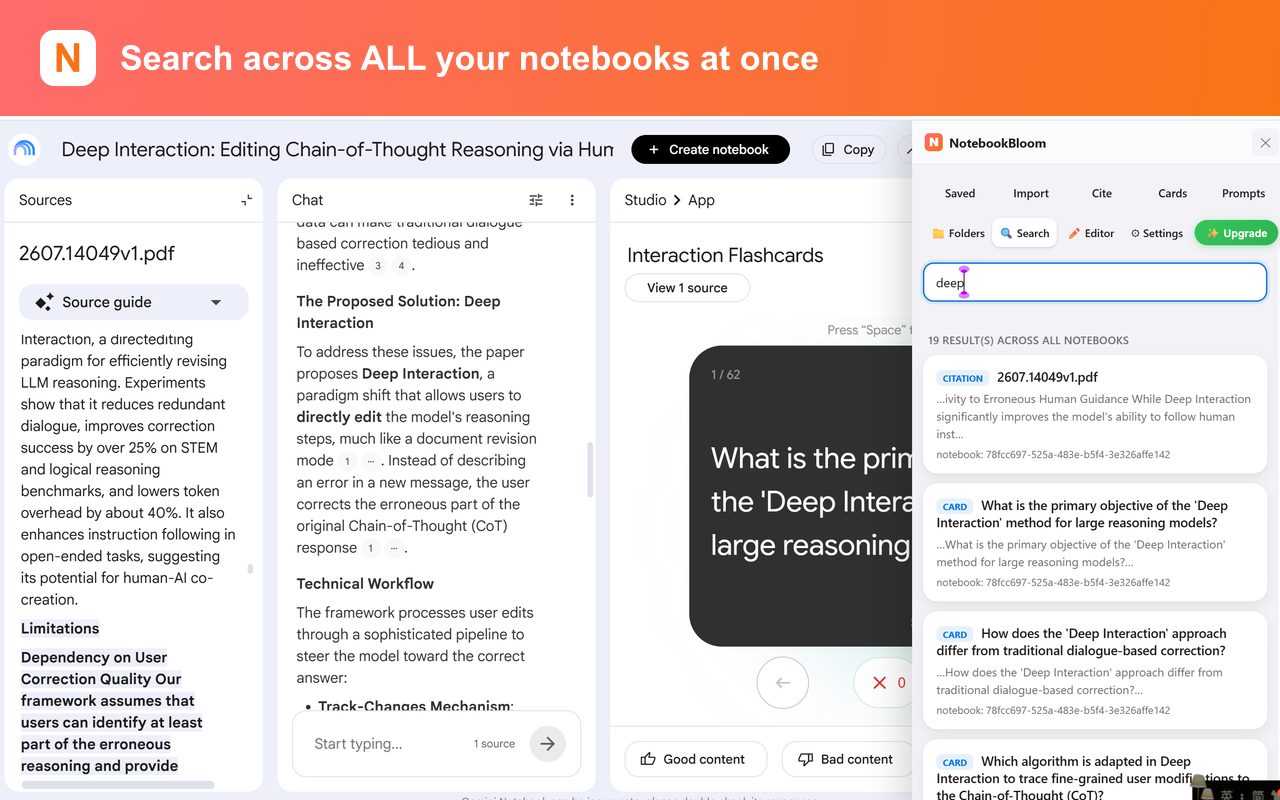
Here's a small moment that happens to everyone who uses NotebookLM seriously for a few months: you remember reading something perfect — a stat, a quote, a study — and you have absolutely no idea which notebook it's in. You know it exists. You just can't find it.
NotebookLM (renamed Gemini Notebook by Google in July 2026) is built around the single notebook. Everything — sources, chat, notes — lives inside one notebook, and that's the unit the AI reasons over. Which is the right design for asking questions. It's the wrong design for the moment above, because there is no search box that spans all your notebooks. Once you've got ten or twenty of them, each one is a sealed room.
The manual way (aka opening every door)
Without a global search, the honest answer is you check them one by one:
- Open a notebook that might have it.
- Use the in-notebook search, or just ask the AI "did I add anything about X here?"
- No luck? Close it, open the next candidate, repeat.
If you keep tidy notebooks with clear names, you can sometimes guess right on the first try. Most of us don't. I have notebooks called "misc," "reading," and — I'm not proud of this — "stuff 2." Guessing which one holds a half-remembered source is not a search strategy.
The half-fix people try
Some folks dump everything into one giant mega-notebook so at least it's all in one place. Don't. NotebookLM has source limits per notebook, the AI gets less focused as you cram unrelated material together, and you lose the whole point of separating projects. The organization isn't the problem — the missing search is. (If organization is what you're after, NotebookBloom also adds folders and tags on top of search.)
The one-click way
Cross-notebook search is the other feature I built into NotebookBloom out of pure personal need. It indexes across every notebook you have and lets you search all of them from one box — not just source titles, but the sources, your saved citations, and your prompt library too.
- Type once, get hits from every notebook at once.
- Each result tells you which notebook it lives in, so you jump straight there.
- It searches the things you actually look for — sources, citations, saved prompts — not just notebook names.
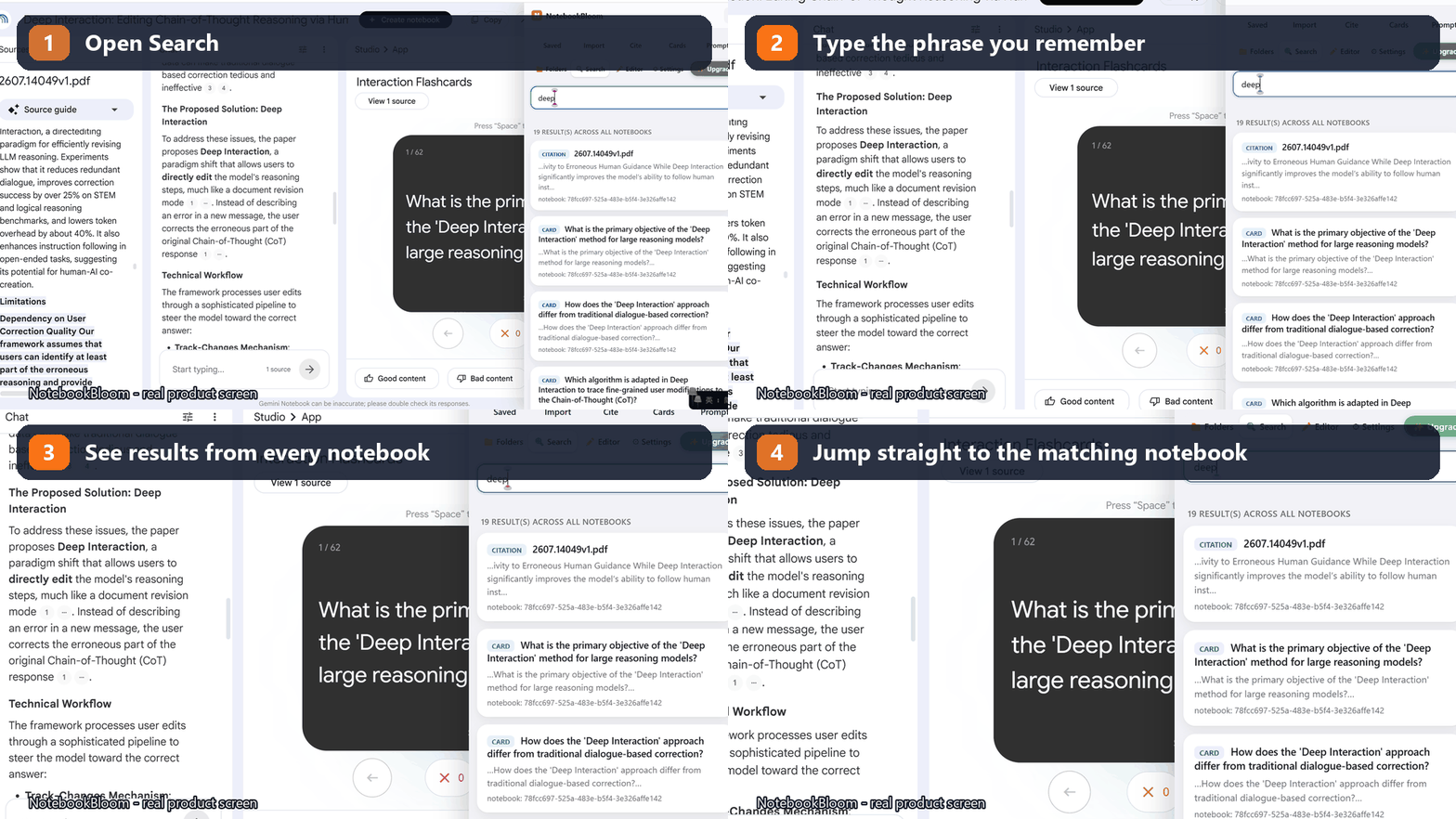
The difference in practice is going from "I'll spend ten minutes opening notebooks and hoping" to "found it, next." When the thing you're searching for is a citation you need in the next five minutes, that gap is the whole game.
NotebookLM or Gemini Notebook — does it matter here?
No. The rename to Gemini Notebook in July 2026 didn't add a global search and didn't change how notebooks are structured — each one is still its own space. So the gap this fills exists under both names, and the cross-notebook search works the same whether Google is calling it NotebookLM or Gemini Notebook today.
The value of a research library is being able to find things in it. Add the search NotebookLM never shipped, and a dozen scattered notebooks finally behave like one.
FAQ
Can you search across all NotebookLM notebooks at once?
Not natively — NotebookLM (now Gemini Notebook) has no global search, so each notebook is a sealed room. NotebookBloom adds cross-notebook search: one box searches across every notebook, source, citation and saved prompt at once, and each result tells you which notebook it lives in.
Why doesn't NotebookLM have a global search?
NotebookLM is built around the single notebook — sources, chat and notes all live inside one notebook, and that's the unit the AI reasons over. It's a good design for asking questions, but it means there's no search box that spans all your notebooks.
Should I just put everything in one big notebook so it's searchable?
No. NotebookLM has per-notebook source limits, the AI gets less focused when you cram unrelated material together, and you lose the benefit of separating projects. Keep your notebooks organized and add cross-notebook search instead.
Is my search private?
Yes. NotebookBloom's index lives in your browser, not on our servers. Optional sync uses your own Google Drive — searching across your notebooks never hands your research to anyone else.
Official references
Product behavior can change. These official pages are the reference points used for this guide.
NotebookBloom is an independent extension and is not affiliated with Google. NotebookLM and Gemini Notebook are names for the same Google product; NotebookLM is a trademark of Google LLC.